One of the most important processes in any finance department is invoice processing. In the digital age, automating this process reduces errors, saves time, prevents fraud, and helps you make better decisions with highly accurate reports. But what exactly is invoice processing? How can you automate it? What are its real benefits for a company? And how does easyap help you transform the management of your electronic invoices? We explain it here, step by step, in a clear and results-oriented way.
What is invoice processing?
Invoice processing is the set of administrative and accounting tasks that allows:
- Receive...
- Validate...
- Register...
- Approve...
- Pay...
- File an invoice in a company's financial management system.
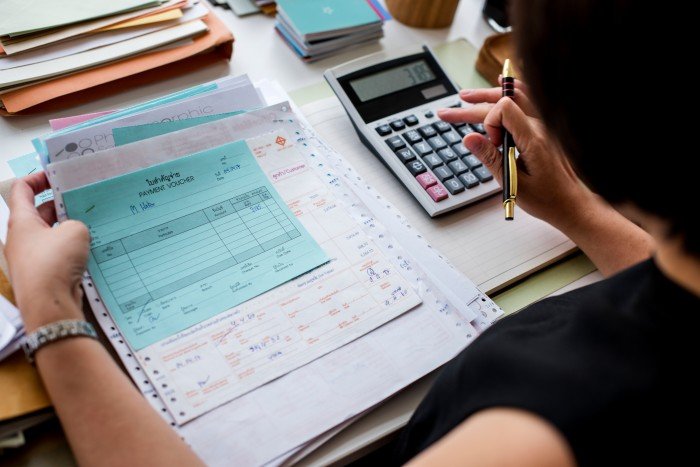
This process involves many departments and people, especially in medium and large companies. At the same time, it has always existed. However, when carried out manually, it is prone to errors, delays, duplication, and lack of control.
That is why more and more organizations are automating this procedure with specialized tools and digital invoicing software. The advantages of document digitization are also being leveraged in this area.
The purpose of the billing process
The main objective of invoice processing is to to ensure that each expense is correctly validated, recorded, and accounted for. In this way, companies comply with both their tax obligations and their own internal control requirements.
In addition, invoice processing also helps you with the following:
-
- Ensures traceability of financial transactions.
- Avoid duplicate or fraudulent payments.
- Improve relationships with suppliers, as payments are made on time.
- Facilitates audits, whether internal or external.
- It provides up-to-date information, ideal for making strategic decisions in any business.
How is the electronic invoicing process carried out step by step?
Now, how is this process carried out in the midst of digital transformation? Based on our experience, we believe that electronic invoicing can be broken down into several phases:
| Phase | Description |
| It can be on paper, in PDF format, or as a digitized invoice (the most advisable option today). | |
| Software is used to convert physical documents into digital data. | |
|
It is verified that the invoice contains all the required fields. |
|
It is compared with purchase orders or contracts to prevent fraud. |
| The responsible departments validate the expense before payment. | |
| It is recorded in the company's accounting system. | |
|
The payment is executed and the invoice is archived for future reference. |
This procedure can take days or weeks if done manually. However, by automating it, the cycle is reduced to hours or even minutes.
Automation of invoice processing: what does it involve?
Specifically, automating invoice processing means using technologies such as artificial intelligence artificial intelligence (AI), machine learning, OCR (Optical Character Recognition), and RPA (Robotic Process Automation) to digitize and execute repetitive tasks that were previously performed by human staff.
Thanks to these technologies, an intelligent system:
- Automatically detects key data from an invoice.
- Validates content against internal databases.
- Generates alerts for inconsistencies or potential fraud.
- Initiate approval and posting flows.
Benefits of automating invoice processing
Likewise, adopting an automated billing system brings tangible benefits at both the operational and strategic levels. Among the most popular advantages, we highlight these five:
1. Drastic reduction in human error
- Automate validations and calculations.
- Lower risk of entering incorrect data or paying the same bill twice.
2. Increased efficiency and time savings
- Processes that used to take hours now run in minutes.
- Less administrative burden for the finance team.
3. Real-time control and traceability
- Complete tracking of the status of each invoice.
- History of approvals and actions taken.
4. Greater security against fraud
- Automatic verification of suppliers and purchase orders.
- Algorithms that detect suspicious patterns.
5. Intelligent report generation
- Access to automated and customizable financial reports.
- Decision-making based on up-to-date and reliable data.
How does automation help reduce errors in the billing process?
As we have mentioned throughout this article, one of the biggest challenges in manual invoice management is human error: from mistakes when entering data and figures to incorrect or duplicate approvals.
The fact is that, with invoice automation, regardless of the sector, you eliminate these sources of error because:
- The data is extracted directly from the scanned invoice.
- Validation rules are applied to check mandatory fields.
- Erroneous approvals are avoided by setting up customized workflows.
- Unauthorized payments are blocked through automated internal controls on electronic invoices.
Digitized invoices and electronic invoices: are they the same thing?
In this regard, a distinction must be made between digitized invoices and electronic invoices. Why? Because they are not the same thing. Although both concepts are related, there are important differences:
| Digitized invoice | Electronic invoice |
| Scanned from a paper invoice | Native in digital format (XML, structured PDF, etc.) |
| It is legally valid depending on the system used. | It is legally valid if it complies with current regulations. |
| You need OCR to extract data | Your data is already structured and ready to use. |
In any case, both formats can be part of an automated process as long as your software is equipped to handle them.
How to detect fraud in invoice processing?
As we have been pointing out, an invoice processing system invoice processing system must include fraud prevention and detection mechanisms. Among the most common are:
- Automatic cross-checking with databases of authorized suppliers.
- Identification of duplicates or inconsistencies in dates, amounts, or IBANs.
- Smart alerts for invoices with unrecognized data.
- Full audit of document approvals and accesses.
How to choose digital invoicing software for your business
At this point, it's time to choose good software for processing and generating invoices. If you want to choose the right one for your company, follow these criteria:
- Integrate with your ERP or your current accounting system.
- Compliance with electronic invoicing regulations in Spain electronic invoicing regulations in Spain.
- It gives you the ability to customize approval workflows.
- That access to automatic reports and data export.
- That it offers specialized and local technical support.
This is where easyapcomes in: a company specializing in invoice processing automation with over 20 years of experience working with the finance departments of large companies.
We adapt to your specific needs and help you, among other things, to:
- Automatically digitize and process invoices in any format.
- Implement a step-by-step electronic invoicing process, without friction.
- Easily integrate the software with any ERP.
- Control the entire invoice lifecycle, from receipt to payment.
- Detect errors and fraud early on.
- Generate detailed reports that facilitate audits and financial decisions.
In short, the invoice processing doesn't have to be a headache. Thanks to automation and solutions such as those offered by easyap, you can eliminate repetitive tasks, minimize errors, comply with electronic invoicing regulations, and make faster and more accurate decisions.
With the right technology partner, change is not only possible—it's immediate. Would you like to find out how easyap can help you automate your invoice processing? Contact us and transform your financial management today.