Business owners, CFOs, and financial executives know this well: managing legal and financial documents requires guarantees of validity and security. That's why it's important to understand and master terms such as scanned signature, digital signature, and electronic signature is vital. But do we really know the differences between them and their legal validity? This article will clear up the most common doubts about scanned signatures. And, as if that weren't enough, we'll tell you how easyap helps you digitize your electronic invoices and automate any billing or accounting process in your business.
Can a signature be scanned?
The first big question is this: can a signature be scanned? The answer is also: yes, it is possible to scan a handwritten signature and convert it into a digital file.
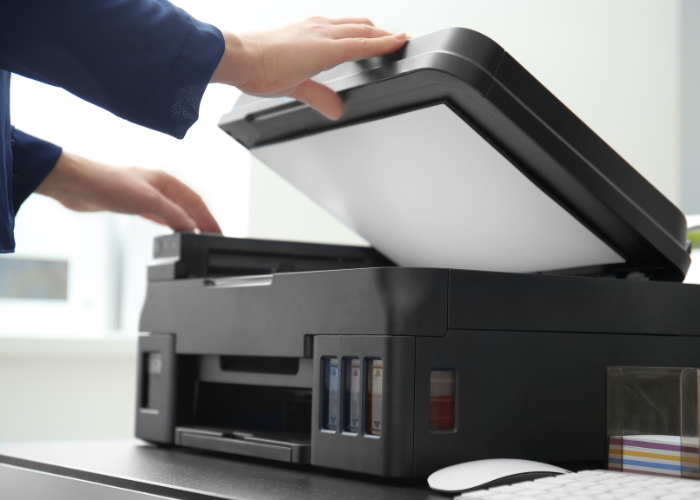
This process is very basic and consists of signing a paper document, scanning it using a scanner or mobile app, and saving it as an image or PDF.
Although the method is quick and easy, it is important to understand something else. A scanned signature is simply a visual representation of a handwritten signature. In other words, unlike a recognized electronic signature, it does not contain any elements that guarantee its authenticity or integrity. a recognized electronic signature.
Advantages of a scanned signature
So, what is the purpose of a scanned signature? Based on our experience, a scanned signature offers several advantages:
- It offers speed for digitizing documents.
- Gives unofficial documents a professional appearance.
- It is very easy to use and practical for low-risk cases.
- Provides great ease of digital storage.
- Save paper and physical resources.
- Provides immediate access from any device.
In any case, the scanned signature is only useful in very specific contexts. Likewise, it is ideal for internal tasks, such as approving your company's budgets or for certain non-binding procedures or formalities. However, it poses serious legal and security limitations, which we will look at below.
Is a scanned signature as valid as any digital signature?
In line with the above, the first thing to be clear about is that a scanned signature does not have the same validity as a digital or electronic signature. What's more, digital signatures are not legally valid.
In fact, in Spain, where we continue to follow Regulation (EU) No. 910/2014 (known as the eIDAS Regulation), the legislation clearly distinguishes between these ways of signing documents:
- Scanned signature: lacks legal backing. As it is an image, it does not include mechanisms that authenticate the signer or ensure the integrity of the document.
- Electronic signature: regulated by the aforementioned eIDAS Regulation (Electronic Identification and Trust Services Regulation) of the European Union, it is legally valid and can ensure the authenticity and integrity of a document or invoice.
- Digital signature: is an advanced type of electronic signature that uses digital certificates issued by trusted authorities. It is the most secure and has the greatest legal validity.
Comparison: scanned signature vs. digital signature
To group the information in a more visual way, we have reflected these differences between these two types of signatures in the following comparative table:
| Feature | Scanned signature | Digital signature |
| Legal validity | No | Yes |
| Safety | Low (easily falsifiable) | High (uses encryption and certificates) |
| Authenticity | Does not guarantee authenticity | Guarantee of the signer's identity |
| Document integrity | No | Yes, he assures that the document is not altered. |
| Regulation | None | eIDAS Regulation |
In summary, since scanned signatures have limited utility, they are not the most suitable tool for legal documents, contracts, or invoices.
But why is a scanned signature not a valid signature?
There are several reasons why a scanned signature has no legal validity in Spain and Europe:
- Lack of authenticity. There is no way to verify that the signature belongs to the person indicated, as it is only an image.
- Ease of forgery. A scanned signature can be copied and pasted into other documents without the signer's consent.
- No integrity. It does not guarantee that the document has not been altered after the signature was applied.
- Regulation. Does not comply with the requirements of the electronic invoicing regulations and its standards for the validity of electronic signatures.
For all these reasons, the best practice for your company's important documents is to use an electronic or digital signature. This will ensure that you comply with all legal and technological requirements.
Real example
Imagine that a supplier signs a contract by scanning their handwritten signature and sending it by email. If the content of the document or its integrity is later questioned, there is no way to prove the validity of that signature or verify that the terms and conditions have not been altered. This problem is avoided with electronic signatures, which guarantee the authenticity and traceability of the document.
How do I make a scanned signature?
However, if despite its limitations you want to create a scanned signature for unofficial or low-risk use, you can follow these steps:
- Sign on paper. First, write your signature on a white sheet of paper, making sure it is clear and visible.
- Digitize your signature. Then use a scanner or your smartphone camera to capture the signature. Today, there are apps such as Adobe Scan or CamScanner that make this step of the signature scanning process easier.
- Edit the image. At the same time, use an editing program (such as Photoshop or Canva) to clean up the background and adjust the size.
- Save the file. Once you have scanned your signature, save it as an image. We recommend saving it in PNG or JPEG format with a transparent background to make it easier to insert into documents.
- Insert into documents. Finally, to implement it, use tools such as Microsoft Word, Google Docs, or PDF editing programs to insert it into your documents.
Even so, we insist: remember that, although it is functional in specific cases, this type of signature is not the most appropriate for legal or contractual documents.
The solution? Electronic signatures and invoicing with easyap.
Therefore, if you need a secure and legally valid solution, electronic signatures are the ideal option. In this regard, easyap offers you the most advanced solutions and tools for managing electronic invoicing and digitized signature processes in companies.
In addition, we have extensive experience working in different sectors and countries, complying with the highest standards of security and legal compliance in all of them.
Advantages of easyap and its digital signature solutions
To be more precise, below is a list of many of the advantages of using digital signatures and easyap's electronic invoicing software:
- Process automation. Simplify document management and invoices with solutions tailored to your company, country, and market.
- Legal compliance. Ensures that all your signatures and invoices comply with the eIDAS Regulation and with the Spanish and local regulations that apply to you.
- Security. Protect your company's sensitive information and data with advanced certified encryption technology.
- Efficiency. Save time and resources by digitizing processes.
- Personalized support. Receive technical assistance and training tailored to the needs of your organization and your team.
- Scalability. Implement solutions that grow alongside your business. In other words, the easyap solution adapts to any business volume.
- Easy integration. Connect the easyap software to your ERP systems or other existing tools that you use in your organization.
- Positive environmental impact. You reduce the use of paper and other physical resources by digitizing administrative processes.
In conclusion, with easyap you not only optimize your financial management. You also ensure that your documents have the legal validity you need, which avoids risks associated with the use of scanned signatures. Write to us and we will tell you much more.